
Room Control
A smarter way to run a room.
Room Control is the system our operators use to manage the room from a single workstation. Presentations, screen management, timers, graphics, recordings, and custom presenter views all work together through one interface. Built-in automation handles complex tasks behind the scenes, allowing a single operator to manage functions that traditionally require multiple technicians. The result is a cleaner room, a smaller equipment footprint, lower labor requirements, and a more consistent experience for presenters and attendees alike.
The difference you feel in the room
Less distraction. BËTR execution.
Traditional Room Setup
- Multiple devices and disconnected workflows at the operator position
- Larger equipment footprint and more visible technology in the room
- Additional personnel required to manage presentations, graphics, and recordings
- Greater reliance on manual processes and coordination
With BËTR Room Control
- One streamlined operator station managing the entire room
- Smaller equipment footprint and cleaner production areas
- Fewer operators required without sacrificing capability
- Presentations, graphics, timers, and recordings working together through a single system
The goal isn't fewer people. It's fewer distractions. Room Control simplifies the technology behind the scenes so operators can stay focused on delivering a better experience on stage.
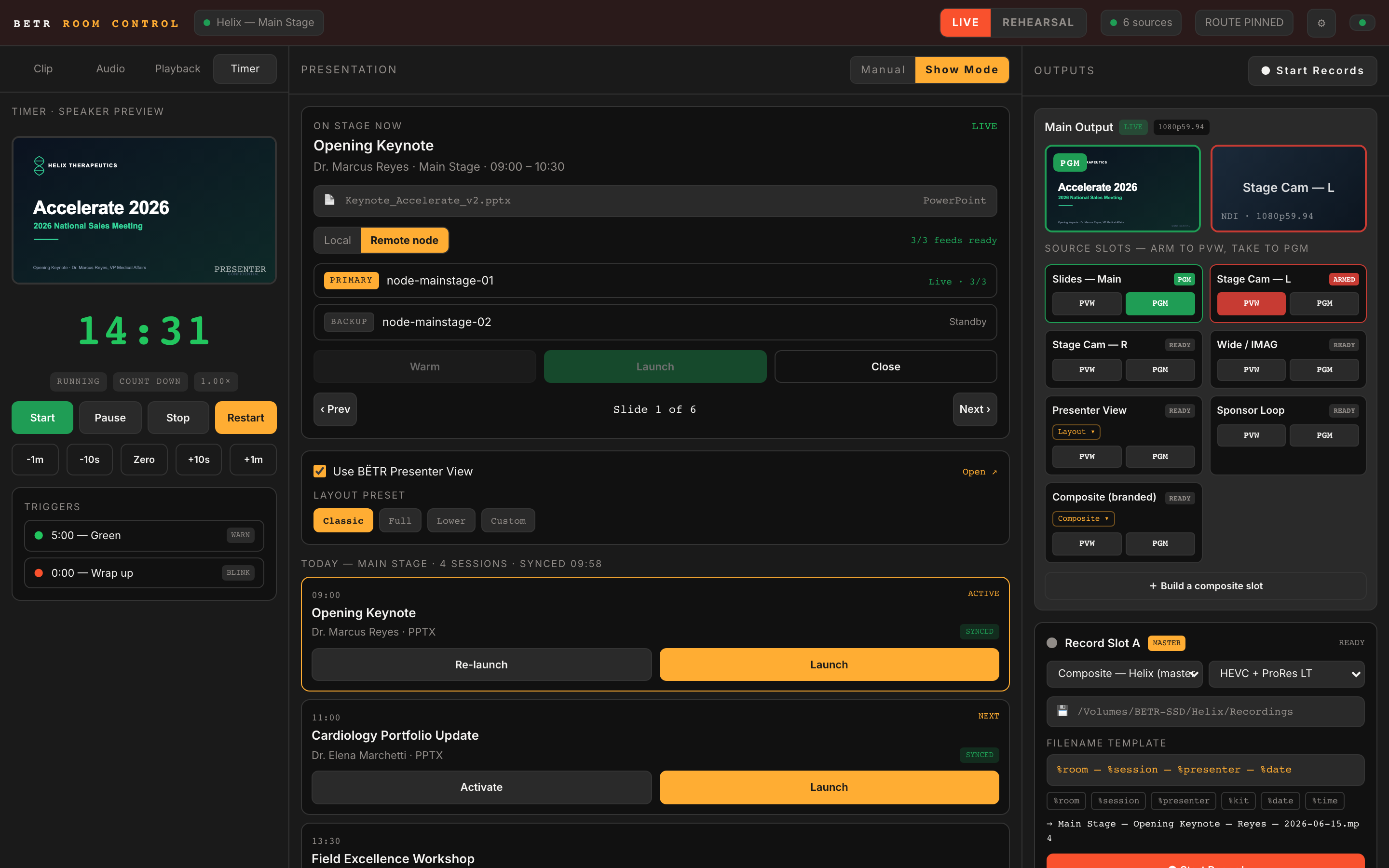
Switching
Switch presentations, cameras, and graphics from one place.
Line up the next source, preview it, and take it live when you're ready. Presentations, cameras, graphics, videos, and branded composites are all managed from a single interface, giving operators complete visibility before anything reaches the screen.
- Preview before it goes live
- See exactly what your audience will see before making a change.
- Any source, any layout
- Presentations, cameras, videos, graphics, and sponsor content all in one workflow.
- Build branded composites
- Combine slides, camera, and branded backplates in one clean look
Presentation playback
Everything is ready before the speaker takes the stage.
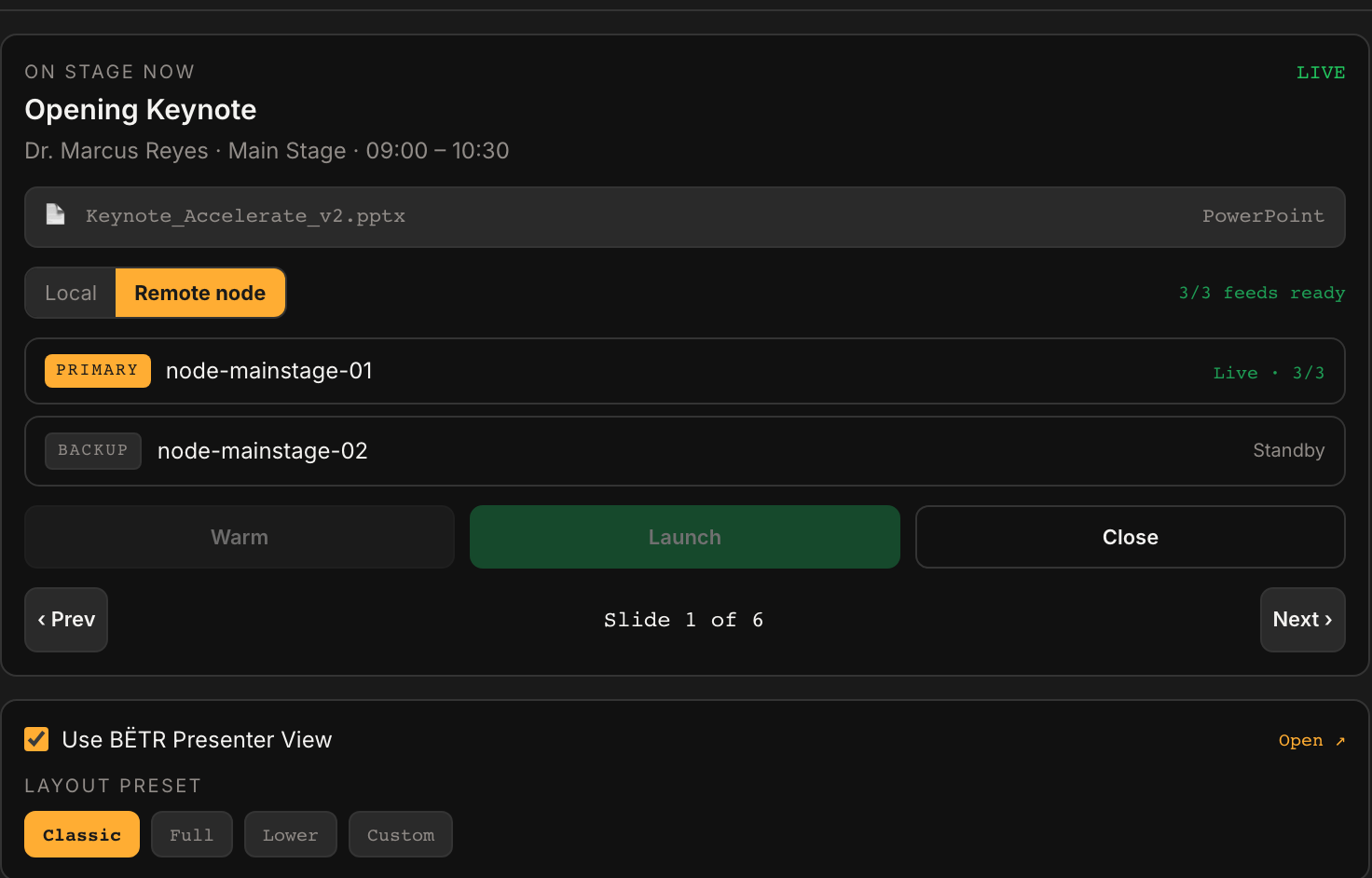
When it's time to present, there should be no searching, copying, or guessing. The approved deck is already loaded, ready to go, and waiting for the speaker to take the stage.
- PowerPoint and Keynote presentations are fully supported
- Presentations are stored locally on the playback system, eliminating dependence on network connectivity during the session
Presenter comfort
The confidence monitor, customized.
Every presenter works differently. Some want oversized notes. Others want a prominent timer, slide previews, or a simplified layout with fewer distractions. Because BËTR creates its own Presenter View, you're not limited by PowerPoint or Keynote. We can build a view that matches the way each presenter prefers to work on stage.
Dig into the Presenter View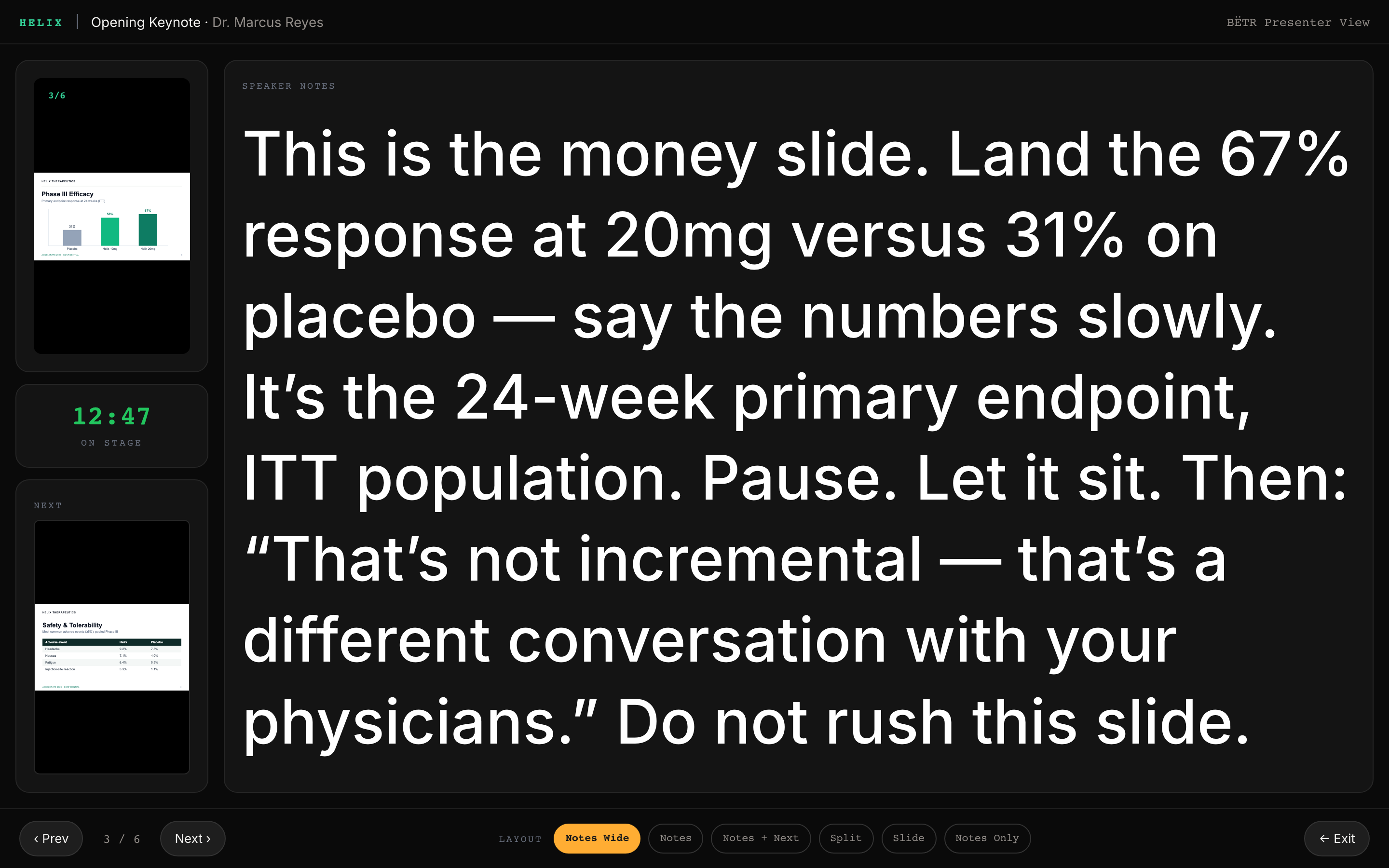
Interstitials
Even the downtime feels intentional.
Between sessions, Room Control automatically transitions to branded interstitial content. Slides, videos, sponsor messaging, and music can be combined into a custom loop that keeps the room active and on-brand until it's time for the next presentation.

Nothing slips
Miss a cue? It catches it. Forget to record? It didn’t.
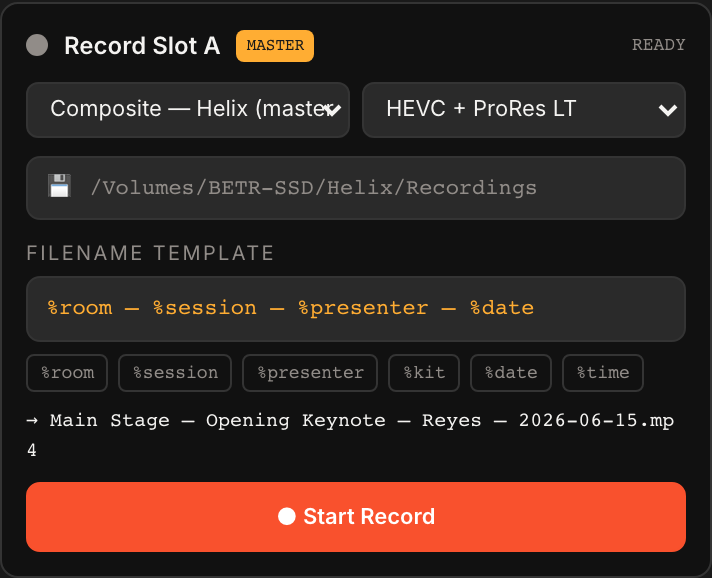
Recordings can be tied directly to presentation playback, automatically starting when a session launches and stopping when it ends. Operators don't have to remember to press record, and presenters don't have to wonder whether their session was captured. The result is a more reliable content workflow and fewer opportunities for human error.
How the nodes work
Two machines, one show.
The operator station runs the room while presentations run on dedicated playback nodes. Mac or PC, PowerPoint, Google Slides, or Keynote. The system is presentation-agnostic and built to handle large, media-rich decks without impacting performance. Backup nodes provide automatic redundancy, so if one ever fails, the show carries on.
Want to see it in action?
See the tools behind the show.
Click through Room Control, Presenter View, and automated recordings to see how presentations move from upload to playback to delivery.
Switching and Routing
Handles all the inputs and outputs and sends the right content to displays, dsm's, record and stream feeds and even overflow rooms. See Room Control in action
Explore Room ControlCustomized Downstage Monitors
With BËTR's Presenter View, you can create customized looks for DSM's that help presenters deliver their best.
Explore Custom Presenter ViewsRecordings
Sessions are automatically recorded, named, organized, and ready for delivery when the presentation ends.
Explore RecordingsAll of it, or just the decks
Less overhead. More production value.
Whether BËTR runs the entire room or simply manages the presentations, the goal is the same: reduce dependence on manual processes and give experienced operators better tools. By automating routine tasks and simplifying room operations, clients can spend less on operational overhead and invest more in production value, content, and attendee experience.
Tell us what keeps you up at night.
Whether it's presentation management, room operations, recordings, or the entire production, we'll build a plan that helps you run a more organized, more reliable event.